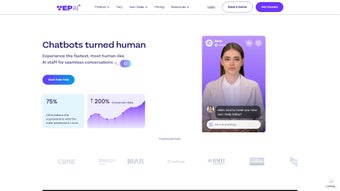

Download Yep AI – AI‑Powered Customer Service Chatbot Tool
Overview
Yep AI is a cloud‑based conversational platform that lets businesses embed AI‑driven digital avatars directly into their websites, web apps, or mobile experiences. By leveraging large‑language‑model technology, Yep AI can understand natural language, detect intent, and respond in a human‑like manner without the need for extensive scripting or programming knowledge. The service operates on a subscription model but provides a risk‑free trial that includes a limited number of monthly conversations, allowing potential customers to evaluate performance before committing to a paid plan.
What truly differentiates Yep AI from other chatbot solutions is its multilingual engine, which automatically detects a visitor’s language and replies in over twenty languages, ensuring that global audiences receive consistent support. In addition, the platform offers a visual “Avatar Builder” that lets marketers customize the look, voice, and personality of the chatbot to align with brand guidelines. Companies that have adopted Yep AI report higher conversion rates, shorter average handling times, and a measurable reduction in support ticket volume.
Security is baked in through end‑to‑end TLS encryption, GDPR‑compliant data handling, and role‑based access controls that keep sensitive customer information safe. Because the solution is fully hosted, there are no client‑side installations, patches, or version‑control headaches—updates are applied automatically on the server side, guaranteeing that every user always interacts with the latest AI model. In short, Yep AI delivers a powerful, secure, and scalable conversational experience that can be deployed in minutes, making it an ideal choice for e‑commerce stores, financial institutions, SaaS providers, and any organization that wants to offer instant, personalized assistance online.
Key Features and Capabilities
- Human‑like Digital Avatars: Customizable 3‑D avatars that speak with natural intonation and body language.
- Multilingual Support: Automatic language detection and real‑time translation for more than 20 languages.
- One‑Click Web Integration: A single JavaScript snippet can be placed in any HTML page, eliminating the need for SDKs or plugins.
- Knowledge‑Base Training: Upload FAQs, PDFs, CSV files, or connect to existing knowledge bases; the AI extracts context and refines responses autonomously.
- Personalized Recommendations: Real‑time analysis of browsing behavior to suggest products, services, or relevant articles.
- Analytics Dashboard: Detailed metrics on conversation volume, satisfaction scores, bounce rates, and conversion impact.
- Secure Data Handling: TLS 1.2+ encryption, GDPR/CCPA compliance, and on‑demand data‑deletion requests.
- Scalable Cloud Architecture: Auto‑scaling containers handle thousands of concurrent sessions without latency.
- Future‑Ready Integrations: Roadmap includes native connectors for Salesforce, Zendesk, HubSpot, and major voice assistants.
Each of these capabilities is engineered to reduce operational overhead while boosting customer satisfaction. For example, the multilingual engine removes the necessity of hiring separate regional support teams, allowing a single chatbot to serve visitors from Europe, Asia, and the Americas simultaneously. The analytics dashboard gives marketing teams actionable insights—identifying common pain points, popular product categories, and high‑value conversion paths—so they can fine‑tune campaigns in real time. Because Yep AI is delivered as a SaaS product, there is no “download” required for Windows, macOS, Android, or iOS; the platform runs entirely in the browser, ensuring that updates to AI models, security patches, and new language packs are applied automatically without any user intervention. This download‑free, always‑up‑to‑date model is especially attractive to enterprises that want to avoid the traditional maintenance burden associated with on‑premise software.
Installation, Usage, and Compatibility
Step‑by‑Step Installation
- Navigate to Yep AI’s official website and register for a free trial account.
- Complete the onboarding wizard, which prompts you to upload your existing FAQ documents or connect to a live knowledge base.
- After the initial training phase, go to the “Integration” tab to generate a personalized JavaScript snippet.
- Copy the snippet and paste it just before the closing
tag of any HTML page you wish to enhance. - Publish the page; the avatar will appear within seconds, and you can begin testing via the built‑in sandbox console.
The entire process takes less than ten minutes for a basic setup, and the platform’s intuitive UI guides you through advanced configurations such as custom branding, trigger rules, and proactive outreach messages. Because the service is hosted in the cloud, there are no binaries to download, no drivers to install, and no operating‑system dependencies to manage. The chatbot automatically adapts its layout to the device’s screen size, delivering a consistent experience on desktops, tablets, and smartphones.
System Requirements and Operating System Support
Yep AI runs on any modern browser that supports JavaScript ES6 and TLS 1.2 or higher. Supported browsers include Chrome, Firefox, Safari, Edge, and Opera on Windows 10/11, macOS Monterey and later, as well as popular Linux distributions. For mobile users, the chatbot functions flawlessly on iOS 13+ and Android 9+ devices. Since the solution is entirely cloud‑based, there are no hardware constraints, and the platform automatically scales to meet traffic spikes, making it suitable for both small startups and large enterprises.
Ongoing Updates and Customer Support
Yep AI follows a continuous‑delivery pipeline, pushing new AI model improvements, security patches, and language packs on a weekly basis. All updates are applied server‑side, so you never need to manually download a new version. The platform also offers 24/7 live chat support, a comprehensive knowledge base, and a community forum where developers share integration tips. Enterprise customers receive a dedicated account manager and a Service Level Agreement (SLA) guaranteeing 99.9 % uptime and priority response times. This “always‑up‑to‑date” approach ensures that your chatbot remains secure, performant, and aligned with the latest conversational‑AI trends without any extra effort on your part.
Pros and Cons
Pros
- One‑click web integration – no coding expertise required.
- Robust multilingual engine serving over 20 languages.
- Highly customizable avatars that reflect brand personality.
- Comprehensive analytics for data‑driven decision making.
- End‑to‑end encryption and full GDPR/CCPA compliance.
- Scalable cloud infrastructure eliminates server maintenance.
- Continuous AI model updates keep the bot state‑of‑the‑art.
Cons
- Native third‑party CRM and help‑desk integrations are still in roadmap.
- Subscription pricing may be steep for very small businesses or freelancers.
- Bot performance heavily depends on the quality of uploaded FAQ/content.
- Requires a constant internet connection; offline usage is not supported.
- Advanced customization (e.g., custom intents) may need professional services.
Frequently Asked Questions & Conclusion
Frequently Asked Questions
Is there a free version of Yep AI?
Yep AI offers a 14‑day free trial with limited conversation volume and access to core features. After the trial, you must select a paid subscription to continue using the platform.
Can I embed Yep AI in a native mobile app?
Yes. The chatbot can be loaded inside a WebView on iOS or Android, providing the same interactive experience as on a desktop browser.
How does Yep AI protect my customers’ data?
All data is encrypted in transit (TLS 1.2+) and at rest. Yep AI complies with GDPR, CCPA, and other regional privacy regulations, and offers on‑demand data‑deletion requests.
Do I need technical expertise to train the chatbot?
No. The platform provides an intuitive upload interface for FAQs, PDFs, or website URLs. The AI automatically extracts relevant information and continuously improves its responses.
Which languages are currently supported?
Yep AI supports more than 20 languages, including English, Spanish, Mandarin, German, French, Japanese, Arabic, Portuguese, Russian, and many others, with automatic detection and translation.
Conclusion – Why You Should Download Yep AI Today
In a digital landscape where instant, personalized support can be the difference between a sale and a lost customer, Yep AI offers a complete, cloud‑native solution that delivers human‑like interaction, multilingual capability, and powerful analytics—all without the need for complex installations or ongoing maintenance. The platform’s one‑click integration, robust security posture, and continuous AI improvements ensure that businesses can launch a high‑quality chatbot quickly and keep it future‑proof with minimal effort. While the current lack of native third‑party integrations and the subscription cost may give some small teams pause, the measurable ROI—through reduced support tickets, higher conversion rates, and richer customer insights—often outweighs these considerations. If you are ready to modernize your customer service, boost engagement, and stay ahead of the AI curve, Yep AI is the tool to make that happen. Click the link below to start your free trial, experience the power of AI‑driven conversation, and future‑proof your support strategy today.
Start Your Free Trial of Yep AI Now
Reviewer Verdict: Yep AI provides a secure, scalable, and remarkably easy‑to‑deploy chatbot experience that delivers real business value. The primary drawback remains the limited native integrations, but the roadmap promises rapid expansion in that area.



.png)



